





Bridging the Gap: Essential USB-C Hubs for Modern Laptops
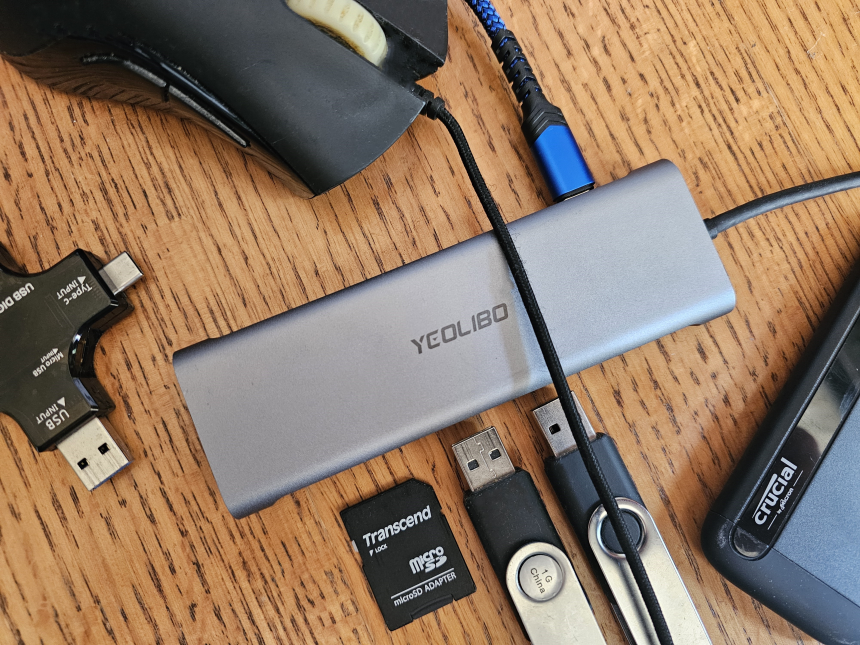
Modern laptops are marvels of portability, but their sleek, minimalist designs often come at the cost of connectivity. If you are struggling to plug in your legacy hardware-such as mechanical keyboards, external hard drives, or wired printers-a high-quality USB-C hub is the most cost-effective solution. You don’t need to break the bank to regain your workstation’s versatility.
Beyond Basic Connectivity: Choosing the Right Hardware
While a standard USB-C adapter satisfies the needs of most casual users, power users often require more robust solutions. If your workflow involves multiple high-resolution monitors or high-speed data transfers, you might consider upgrading to a dedicated desktop docking station.
For those managing complex setups, specialized hardware offers superior performance:
* DisplayLink docks: Ideal for users who need to bypass native video output limitations to drive multiple displays.
* Best Thunderbolt docks: These provide the highest bandwidth available, perfect for professional video editing or external GPU setups.
While these premium options carry a higher price tag, the increased functionality and streamlined cable management often justify the investment. According to recent market trends, the demand for high-speed data hubs has surged as remote work environments continue to prioritize multi-monitor setups, with many professionals now requiring at least 10Gbps transfer speeds to maintain productivity.
Top Recommendation: The Versatile All-Rounder
If you are looking for the perfect balance of price, port variety, and reliability, our top pick remains the industry standard for most users.
Best Overall USB-C Hub: Anker 555 8-in-1 USB-C Hub
The Anker 555 stands out because it consolidates essential ports into a compact, durable chassis. Whether you are connecting a legacy USB-A mouse or transferring files from an SD card, this hub handles the workload without the overheating issues common in cheaper, unbranded alternatives.
* Why it’s our top choice: It offers a comprehensive port selection, including Power Delivery pass-through, which allows you to charge your laptop while using your peripherals.
* Purchase Information: Check current pricing and availability here.
Frequently Asked Questions
Do I really need a Thunderbolt dock?
Only if you require extreme data throughput or are connecting multiple 4K monitors. For standard office tasks, a high-quality USB-C hub is more than sufficient.
Will a hub slow down my data transfer speeds?
It depends on the hub’s specifications. Always look for “USB 3.1 Gen 2” or “USB 3.2” labeling to ensure you are getting at least 10Gbps speeds, which is the current standard for efficient file management.


Portable Connectivity: The OWC USB-C Travel Dock Evaluated
For professionals constantly on the move, the OWC USB-C Travel Dock remains a staple in the mobile workstation category. Its design philosophy centers on minimalism, offering a streamlined solution for users who need to bridge the gap between modern, port-sparse laptops and legacy peripherals.
The Upside
* Highly Portable: Its small footprint makes it an ideal companion for slim ultrabooks, easily sliding into a laptop sleeve or tech pouch.
* Versatile Interface: It provides a balanced selection of ports, ensuring you can connect to external displays, USB drives, and SD cards without carrying multiple adapters.
The Trade-offs
* Performance Limitations: Data transfer speeds are somewhat modest compared to newer Thunderbolt 4 docks, which may be a bottleneck for users moving massive 4K video files daily.
* Cable Constraints: The integrated USB-C cable is notably short, which can make positioning the dock awkward if your laptop’s port is located in a non-ideal spot.
The Heavyweight Contender: Monoprice 13-in-1 Dual-HDMI + DP MST Dock
If your workflow demands a desktop-class experience rather than just basic connectivity, the Monoprice 13-in-1 Dual-HDMI + DP MST Dock stands out as the premier choice for power users.
While the OWC dock is built for the road, the Monoprice unit is engineered for the office. With the rise of hybrid work environments-where 74% of U.S. companies are implementing permanent hybrid models-having a robust docking station that supports dual-monitor setups via MST (Multi-Stream Transport) is no longer a luxury; it is a productivity necessity. This hub effectively turns a single USB-C connection into a full-fledged command center, supporting high-resolution displays and a plethora of peripheral devices simultaneously.