





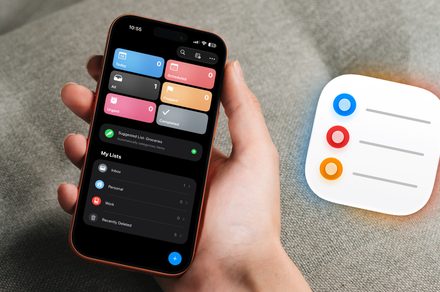
The digital marketplace is saturated with sophisticated premium task managers. Despite experimenting with heavy hitters like Things 3, Todoist, and OmniFocus, I consistently find myself gravitating back to the native Apple Reminders app. While I still rely on specialized software for complex project mapping, Apple Reminders remains my primary hub for daily productivity and rapid task capture. Here is why this built-in tool continues to outperform its competitors in my daily workflow.
Seamless Voice Capture with Siri Integration
The primary reason Apple Reminders stays at the top of my home screen is the frictionless way Siri handles input. Whether I’m mid-commute or juggling household chores, I can simply trigger a command like, “Hey Siri, remind me to call the plumber at 4 PM,” and the task is logged instantly.
With the latest advancements in the iOS 27 beta, Siri AI has evolved significantly. It now utilizes advanced natural language processing, allowing for more conversational input. If I stumble over my words or provide conflicting details, the AI intelligently prompts for clarification rather than failing to save the entry. This reliability ensures that my “brain dump” process is never interrupted by technical friction.
Context-Aware Alerts for Proactive Productivity
Apple Reminders excels by moving beyond simple time-based notifications. Its ability to trigger alerts based on location or communication context is a game-changer. For instance, I often set a “Message Reminder” linked to a specific contact. The next time I open a chat thread with that person, the reminder surfaces automatically, ensuring I never forget to mention a specific detail during our conversation.
Similarly, location-based triggers are essential for errands. By pinning a reminder to a specific geographic coordinate, my phone alerts me the moment I pull into the parking lot of my local hardware store or office. According to recent productivity studies, context-aware notifications can reduce “task-switching fatigue” by up to 20%, as they present information exactly when the environment is primed
Why Apple Reminders Has Become the Ultimate Productivity Tool
For years, many users dismissed Apple Reminders as a bare-bones utility, but recent updates have transformed it into a powerhouse for personal organization. If you haven’t revisited the app lately, you might be surprised to find that it now rivals many paid, third-party task managers.
Never Miss a Deadline with Urgent Alerts
One of the most significant upgrades is the “Urgent” reminder feature. If you have a task that absolutely cannot be ignored, you no longer have to rely on a subtle banner notification that might get buried in your lock screen.
By tapping the (i) icon on any task and toggling the “Urgent” switch, you enable an alarm-style notification. When the time comes, your iPhone will trigger a full-screen alert that mimics a standard alarm clock. This ensures that critical deadlines-like picking up a prescription or submitting a time-sensitive report-demand your immediate attention, making it nearly impossible to overlook your most important to-dos.
Seamless Workflow Integration
The true strength of Apple Reminders lies in how it bridges the gap between your various apps. Instead of manually copying and pasting URLs or subject lines, the app creates a “digital tether” to your content.
* Safari: When browsing a webpage you need to read later, you can ask Siri to “Remind me about this,” and it will save the link directly to your list.
* Apple Mail: If you receive an email that requires a follow-up, you can drag and drop the message into Reminders.
* Notes: Similarly, if you are working on a document that needs further action, you can link it to a reminder.
When the reminder triggers, you aren’t just seeing a text prompt; you are seeing a direct link that takes you straight back to the specific email, note, or website. This eliminates the “search fatigue” that often comes with managing a busy inbox or a cluttered browser.
The Case for Native Simplicity
While specialized software like OmniFocus remains the gold standard for complex, multi-layered project management, Apple Reminders has carved out a perfect niche for daily life.
According to recent productivity data, the average professional spends nearly 20% of their work week managing tasks rather than completing them. By using a native tool that is already synced across your iPhone, iPad, and Mac, you reduce the friction of switching between platforms. Because it is free, deeply integrated into the iOS ecosystem, and constantly receiving performance patches, it removes the “administrative overhead” of managing a separate, paid subscription.
Final Thoughts: Give It Another Look
If you previously abandoned Apple Reminders in favor of more complex apps, it is time to reconsider. With its ability to handle urgent alerts, its deep integration with the Apple ecosystem, and its clean, distraction-free interface, it has evolved into a highly capable task manager. It doesn’t try to be a complex project management suite; instead, it focuses on being the most efficient way to capture and act on your daily responsibilities.