



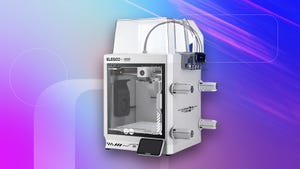
Hands-On Review: Is the Elegoo Centauri Carbon 2 (Emoji Edition) the Ultimate Entry-Level 3D Printer?
For years, the world of additive manufacturing felt like an exclusive club. Much like the early days of home computing, 3D printing was often viewed as a hobby reserved for engineers or tech enthusiasts who didn’t mind spending hours troubleshooting hardware. However, the Elegoo Centauri Carbon 2: Emoji Edition aims to shatter that perception, promising a user-friendly experience that bridges the gap between complex industrial machinery and accessible home gadgets.
Why the 3D Printing Stigma is Fading
While the concept of printing physical objects from digital files feels like something out of a science fiction film, the reality has historically been far less glamorous. Many consumers are intimidated by the steep learning curve, fearing that they need a degree in mechanical engineering just to get a successful print. The Centauri Carbon 2 enters a market where ease-of-use is no longer a luxury-it’s a requirement. With the global 3D printing market projected to grow at a compound annual growth rate (CAGR) of over 20% through 2030, manufacturers like Elegoo are finally prioritizing the “plug-and-play” experience that mainstream users demand.
Performance and Usability: The Verdict
The Centauri Carbon 2 is a fascinating piece of hardware. It manages to balance high-fidelity output with a software ecosystem that doesn’t overwhelm the user.
The Highlights
* Streamlined Workflow: Loading filaments and initiating print jobs is remarkably straightforward, removing the friction that usually plagues entry-level machines.
* Impressive Precision: Despite its approachable design, the printer is capable of rendering intricate details that would satisfy even seasoned hobbyists.
* Intuitive Slicing: The included software is a standout, offering a clean interface that guides beginners while providing enough depth for advanced customization.
* Versatile Appeal: It successfully serves as a “my first printer” for novices while remaining a reliable workhorse for those with more experience.
The Trade-offs
* Time-Intensive Assembly: Prospective buyers should be prepared for a lengthy initial setup process. It is not a “take it out of the box and print in five minutes” experience.
* Stability Concerns: During high-speed operations, the machine is prone to noticeable vibrations, which can occasionally impact print quality if not properly managed.
Navigating the Experience
If you are curious about how this machine stacks up in a real-world environment, we have broken down the journey from unboxing to your first masterpiece:
* Getting Started: A deep dive into the unboxing and initial calibration process.
* Software Mastery: How to leverage the slicer to optimize your designs.
* Technical Specifications: A comprehensive look at the hardware capabilities of the Emoji Edition.
* The Beginner’s Perspective: Addressing the common question: “Is this truly simple enough for a complete novice?”