




Enhanced Navigation: Google Maps Brings Visual Depth and Speed Tracking to Android Auto
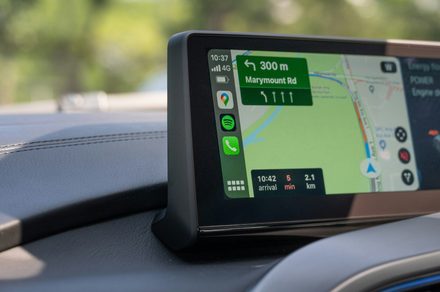
Google is significantly upgrading the driving experience for Android Auto users by expanding the availability of two highly anticipated tools: Immersive Navigation and an integrated live speedometer. Previously restricted to a small pool of beta testers, these features are now surfacing for a much wider audience, including those utilizing the standard, stable release of Google Maps.
This expansion is a core component of Google’s broader strategy to modernize the Android Auto interface. Although Immersive Navigation was touted earlier this year as a landmark update for the platform, its initial release was notably sluggish. The current server-side deployment suggests that Google has ironed out the kinks and is ready to push these enhancements to the global user base.
A More Intuitive Way to Navigate
The primary goal of Immersive Navigation is to reduce cognitive load for drivers. By providing a more sophisticated visual representation of the road ahead, the interface helps users process complex maneuvers faster.
Key visual improvements include:
* Enhanced Road Geometry: More accurate depictions of road curves and highway exits.
* Refined Lane Guidance: Clearer indicators that help drivers stay in the correct lane during complicated merges.
* Detailed Intersection Mapping: A more realistic view of junctions, making it easier to identify the correct turn in dense urban environments.
Real-Time Speed Monitoring
Beyond visual navigation, the inclusion of a built-in speedometer addresses a long-standing request from the community. While many modern vehicles have digital clusters, having the current speed displayed directly within the navigation interface provides a centralized hub for all essential driving data. This integration is particularly useful for drivers in older vehicles that lack modern digital displays, ensuring they can monitor their pace without shifting their focus away from the navigation map.
What to Expect During the Rollout
While the update is currently reaching a broader demographic, it is important to note that the rollout remains staggered. Availability is currently dependent on your specific geographic region and the hardware configuration of your vehicle’s infotainment system.
As Google continues deploying the new experience at scale, users should ensure their Google Maps app is updated to the latest version via the Play Store to increase the likelihood of receiving the server-side activation. With these updates, Google is clearly prioritizing a more immersive and informative dashboard, moving away from flat, static maps toward a dynamic, high-fidelity driving assistant.