![[WATCH] Above & Beyond Posts ABGT700 Set Video](https://www.mixtv1.com/wp-content/uploads/2026/09/35090-attachment.jpg)


### Transform Your Pet’s Best Moments Into Custom iOS Stickers
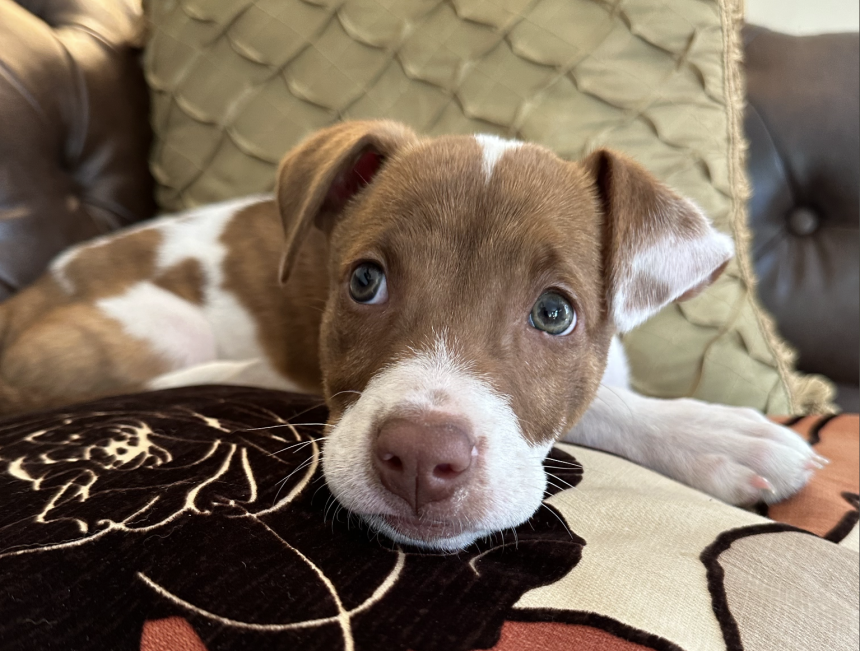
Most pet parents are more than happy to flood your camera roll with snapshots of their companions. Often, these images capture a specific expression-a goofy tilt of the head or a look of pure, unadulterated excitement-that conveys more personality than any generic yellow smiley face ever could. If you are looking to elevate your messaging game, you can easily transform those candid shots of your cat or dog into personalized digital stickers using the Live Stickers feature on your iPhone.
#### The Evolution of Subject Isolation
Apple’s approach to image editing has become increasingly sophisticated. While the ability to isolate subjects from a background debuted as a “tap-and-lift” tool in iOS 16, the functionality reached a new level of utility with the release of iOS 17. By integrating these cutouts directly into the sticker drawer, Apple turned a simple photo-editing trick into a primary way to communicate.
#### Why Custom Stickers Are Trending
The shift toward personalized digital content is significant. According to recent mobile usage trends, users are increasingly moving away from static, pre-made emojis in favor of expressive, custom-made reactions. Creating your own stickers isn’t just a fun hobby; it’s a way to add a layer of authenticity to your digital conversations. Whether it’s a photo of your golden retriever mid-sneeze or your tabby cat looking judgmental, these custom assets act as a unique visual shorthand that standard emojis simply cannot replicate.
#### Getting Started
The process is remarkably intuitive. By leveraging the machine learning capabilities built into modern iPhones, the software identifies the subject of your photo-whether it’s a pet, a person, or an object-and separates it from the background with high precision. Once isolated, you can save these as stickers to use across iMessage, email, and various third-party apps, ensuring your pet is always the star of your digital interactions.