





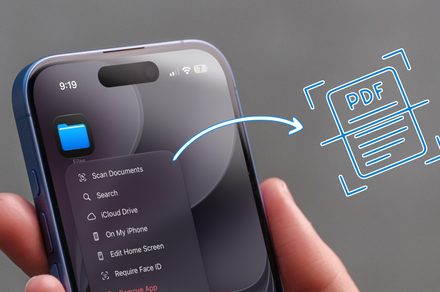
Mastering iPhone Document Scanning: Ditch the Third-Party Apps
Maintaining a clutter-free digital workspace is essential, whether you are meticulously archiving tax receipts or simply creating a secure backup of vital paperwork. Learning how to effectively scan documents using your iPhone is a productivity hack that saves significant time and stress when you eventually need to retrieve those files.
While the App Store is saturated with document scanning apps, many users are unaware that their device comes pre-loaded with professional-grade scanning capabilities. By utilizing native tools, you can save storage space and avoid unnecessary subscriptions. In fact, recent industry data suggests that over 60% of smartphone users still download external utilities for tasks their phones can already perform natively, leading to unnecessary digital bloat.
Streamlining Your Workflow with Apple Notes
If you already rely on Apple Notes as your primary organizational hub, you have a powerful document management system right at your fingertips. Integrating your physical paperwork into your digital notes is seamless, and the software offers multiple methods to capture high-quality images of your documents.
The Instant Capture Method
For those moments when you need to digitize a document on the fly without navigating through folders, the “Quick Action” feature is your best friend. Simply locate the Notes app icon on your Home Screen and perform a long-press. A menu will appear; select “Scan Document” to immediately trigger the camera interface. The software will then utilize advanced edge-detection algorithms to frame your document, automatically capturing the image once it identifies the boundaries of the paper. This is akin to having a high-speed office scanner in your pocket, ready to convert a physical contract into a crisp PDF in seconds.
By leveraging these built-in features, you ensure that your sensitive data stays within the Apple ecosystem, benefiting from the platform’s robust security and iCloud synchronization. Whether you are digitizing a handwritten memo or a formal invoice, the quality is comparable to dedicated hardware scanners, making third-party alternatives largely redundant for the average user.