




Streamline Your Workspace: The Ultimate Guide to USB-C Monitors
Modern desk setups are evolving, moving away from the “spaghetti junction” of tangled cables toward a cleaner, more efficient aesthetic. The primary driver of this transition is the USB-C interface. By consolidating power delivery, high-speed data transfer, and video signals into a single cable, USB-C monitors have become the cornerstone of the contemporary professional workstation.
Why Transition to a USB-C Display?
The versatility of USB-C cannot be overstated. Beyond simply acting as a display interface, these monitors function as integrated docking stations. When you connect your laptop, the monitor can simultaneously project your screen, transfer files from connected peripherals like external drives or keyboards, and keep your battery topped up-all through one slim connector.
According to recent market data, the adoption of USB-C in display technology has surged, with over 60% of new professional-grade monitors now featuring at least one USB-C or Thunderbolt port. This shift is largely due to the increasing reliance on thin-and-light laptops that lack traditional HDMI or DisplayPort outputs.
Navigating the Technical Complexity
While the benefits are clear, the USB-C ecosystem is notoriously complex. Not all USB-C ports are created equal; some support “DisplayPort Alt Mode” for video, while others are strictly for data or power. Furthermore, power delivery (PD) ratings vary significantly-a monitor providing 15W of power may struggle to charge a high-performance workstation laptop, whereas a 90W or 100W output is ideal for power-hungry devices.
Because of these nuances, USB-C monitors often command a premium price compared to their legacy counterparts. Understanding your specific hardware requirements is essential to ensure you aren’t overpaying for features you don’t need or under-buying for your power requirements.
Top Recommendation: The Gold Standard
Best USB-C Monitor Overall: Dell Ultrasharp U3225QE
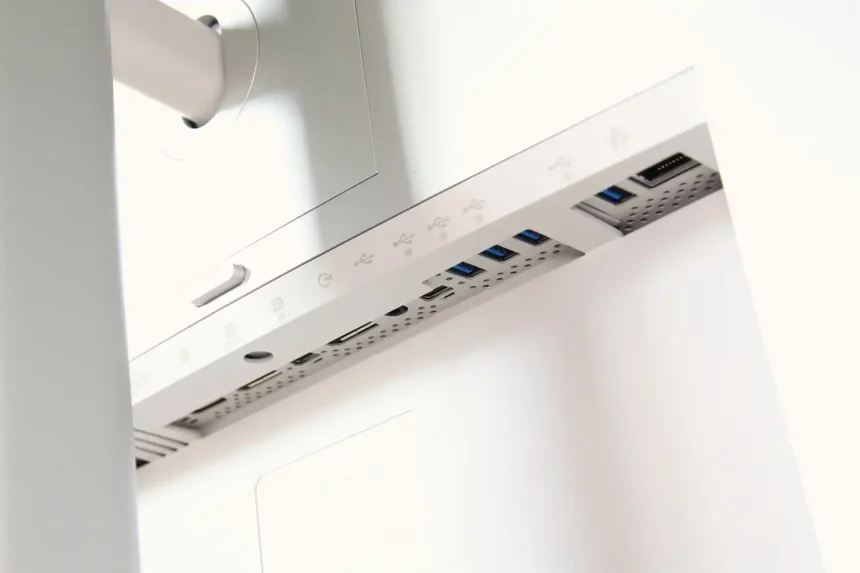
For users seeking the perfect balance of color accuracy, connectivity, and build quality, the Dell Ultrasharp U3225QE stands out as the premier choice. It excels by offering a robust hub experience that minimizes the need for external dongles, making it a favorite for creative professionals and office power users alike.
* See why we picked it
* Check Price on Amazon
Quick Overview:
* Pros: Exceptional color reproduction, highly functional integrated hub, and ergonomic design.
* Cons: Premium price point reflects its high-end feature set.