





Smart Shopping: How to Secure a High-Quality Laptop for Under $500
Finding a reliable computer doesn’t require a four-figure investment. While premium ultrabooks often dominate the headlines, the sub-$500 market has matured significantly, offering capable machines for students, remote workers, and casual users. However, the difference between a “bargain” and a “waste of money” often comes down to knowing exactly where to look.
The Golden Rules of Budget Hardware
When you are shopping on a strict budget, the goal is to avoid “disposable” tech. Many entry-level laptops suffer from sluggish performance because they prioritize low price tags over functional longevity. To ensure your purchase remains useful for years rather than months, you must prioritize specific internal components.
According to industry experts, you should never settle for less than a 1080p display and at least 8GB of RAM. While 8GB is the current baseline for smooth multitasking, aiming for 16GB is a proactive way to future-proof your device against increasingly resource-heavy web browsers and background applications.
Recent market data suggests that laptops with at least 256GB of SSD storage are now standard even at the $400 price point; avoid any machine still utilizing eMMC storage or mechanical hard drives, as these will bottleneck your system’s speed significantly.
Top Pick: The MacBook Neo (2026)
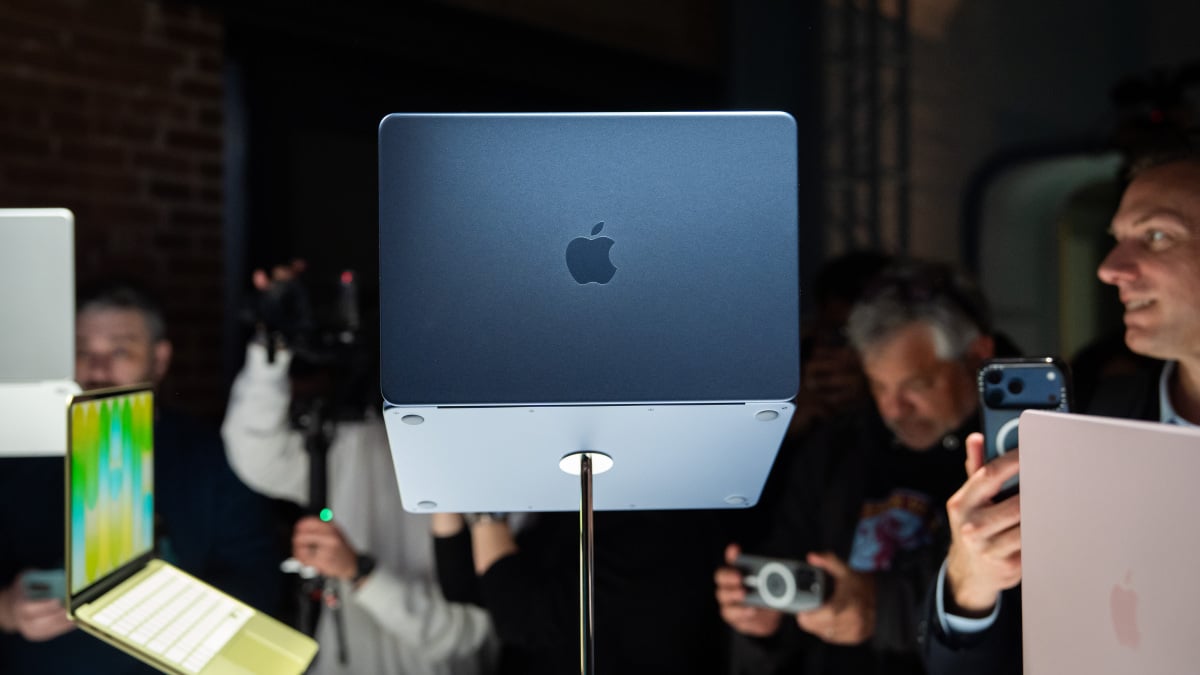
For those seeking the best overall value in the budget category, the MacBook Neo (2026) stands out as the clear frontrunner. It manages to balance premium build quality with an accessible price point, proving that you don’t need to sacrifice aesthetics for affordability.
Best laptop under $500 overall
MacBook Neo (2026)
Why the MacBook Neo Leads the Pack
The Neo succeeds where many competitors fail by focusing on the “big three” of user experience: chassis integrity, processing efficiency, and visual clarity.
Pros:
* Premium Build: Unlike plastic-heavy budget alternatives, the Neo features a refined, durable chassis that feels professional and resists daily wear.
* Efficient Processing: It delivers exceptional single-core CPU performance, which is the primary driver for snappy app launches and responsive web browsing.
* Vibrant Visuals: The display quality is a cut above the standard, offering color accuracy and brightness levels rarely seen in this price bracket.
Making the Right Choice
Think of your laptop purchase like buying a pair of running shoes. You don’t need the professional-grade, carbon-plated racing shoes to walk the dog, but you also shouldn’t buy the cheapest pair at the supermarket if you plan on jogging daily. By sticking to the 8GB RAM minimum and prioritizing a 1080p screen, you ensure your “daily driver” can keep pace with your lifestyle without breaking the bank.
### Evaluating the Asus Chromebook Plus CX34: A Balanced Budget Contender
If you are hunting for a reliable machine that won’t break the bank, the Asus Chromebook Plus CX34 has emerged as a notable player in the sub-$500 laptop market. While it doesn’t aim to compete with high-end ultrabooks, it offers a compelling mix of utility and style for students and remote workers alike.
#### Performance and Design Highlights
The CX34 stands out primarily due to its snappy processing capabilities. Unlike many entry-level devices that struggle with multitasking, this model handles browser-heavy workflows with ease. Complementing this performance is a tactile, comfortable keyboard that makes long typing sessions feel less like a chore.
From an aesthetic standpoint, Asus has opted for a modern, minimalist design that looks far more expensive than its price tag suggests. Furthermore, the device is well-equipped with a versatile selection of ports, ensuring you can connect your peripherals without constantly relying on dongles-a rarity in today’s slim-chassis laptop landscape.
#### Where the CX34 Falls Short
Despite its strengths, the device is not without its compromises. In an era where users expect all-day endurance, the battery life on the CX34 is merely average, often requiring a mid-day charge if you are pushing the processor.
Additionally, the screen utilizes a traditional 16:9 aspect ratio. While this is standard for media consumption, it can feel vertically restrictive when working on documents or spreadsheets compared to the 16:10 displays becoming common in the industry. For those who spend their day scrolling through long web pages or managing complex data, this “cramped” feeling is a noticeable drawback.
#### The Verdict
The Asus Chromebook Plus CX34 is a testament to how far budget hardware has come. According to recent market analysis, the demand for sub-$500 laptops has surged as users prioritize value over unnecessary bells and whistles. While it lacks the premium aluminum chassis or OLED panels found in $1,000+ devices, it hits the “sweet spot” for productivity.
For a deeper dive into how this model stacks up against other affordable options currently on the market, check out this guide: