



Bridging the Gap: Microsoft’s Vision for a Unified Windows 11 and Mobile Experience
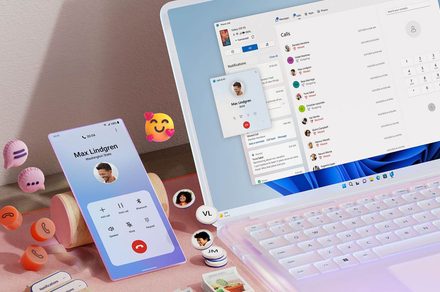
For a long time, the Phone Link application has occupied a strange space in the Windows ecosystem-it is a utility that most users are aware of, yet few integrate into their daily workflows. Microsoft is now looking to shift that narrative. Recent reports indicate that the tech giant is developing a comprehensive strategy to weave smartphone functionality directly into the fabric of Windows 11, moving away from the “siloed app” model toward a truly native, cross-device experience.
Elevating Mobile Integration Beyond the App
The core of this initiative is to stop treating your smartphone as an external peripheral and start treating it as an extension of your desktop. By embedding mobile data directly into the operating system’s UI, Microsoft aims to reduce the friction that currently keeps users from leveraging their connected devices.
The Start Menu Evolution
One of the most significant shifts involves the “Phone Companion” panel within the Start menu. Rather than serving as a static status indicator, this area is slated to become a dynamic hub. Users will soon be able to browse recent mobile activity-such as incoming notifications, recent photos, or text threads-directly from the Start menu. By simply hovering over these items, you could potentially preview full messages or images without ever needing to launch a separate window.
System Tray Accessibility
Microsoft is also experimenting with a new “phone flyout” located in the Windows 11 system tray. Positioned alongside your Wi-Fi and volume controls, this icon will provide immediate access to critical mobile settings.
* Quick Toggles: Manage “Do Not Disturb” modes, toggle vibration, or trigger a “Find My Phone” alert.
* Status Monitoring: Keep an eye on battery life and signal strength at a glance.
* Drag-and-Drop Transfers: Perhaps the most anticipated feature is the ability to drag files directly onto the phone icon, facilitating an instantaneous transfer to your mobile device.
Enhanced Productivity: Clipboard and Messaging
The modern professional often works across multiple screens, and Microsoft is addressing the “context switching” fatigue that comes with this.
Advanced Clipboard Synchronization
While basic clipboard syncing exists today, it is limited to the most recent item copied. The proposed update aims to synchronize your entire clipboard history. This means if you copy a series of links or snippets on your phone, they will be waiting for you in your Windows 11 clipboard history, ready to be pasted into a document or email. This mirrors the convenience of Apple’s “Universal Clipboard,” a feature that has long been a gold standard for cross-device productivity.
A Dedicated Messaging Hub
Perhaps the most user-friendly change is the move toward a standalone Messages app. By decoupling SMS functionality from the broader Phone Link interface, Microsoft is
The Evolution of Windows: Bridging the Gap Between Desktop and Mobile
Microsoft’s long-standing ambition to unify the PC and mobile experience is entering a new, more sophisticated phase. While users have grown accustomed to basic integrations-such as accessing mobile photo galleries via File Explorer or utilizing smartphones as high-definition wireless webcams-the upcoming evolution of Windows 11 aims to move beyond these “bolt-on” utilities. The goal is to weave smartphone functionality directly into the core Windows user interface, making the transition between devices feel entirely fluid.
This shift represents a strategic pivot for the tech giant. After the high-profile failure of the Windows Phone ecosystem, Microsoft has wisely abandoned the “walled garden” approach. Instead of competing directly with the dominance of iOS and Android, the company is now positioning Windows as the ultimate companion to both. By prioritizing interoperability, Microsoft is effectively turning the PC into a central hub for the mobile-first lifestyle, potentially eliminating the friction that currently exists when switching between a laptop and a handset.
Understanding the Rise of Copilot+ PCs
If you walk into a tech retailer today, you will notice a new badge dominating the laptop aisles: “Copilot+ PC.” This branding, found on devices from industry leaders like Dell, HP, Samsung, and Microsoft’s own Surface line, signifies more than just a marketing trend. It denotes a new hardware standard designed to usher in the era of local AI.

To earn the Copilot+ designation, a machine must meet rigorous specifications, most notably the inclusion of a Neural Processing Unit (NPU) capable of at least 40 TOPS (trillions of operations per second). This dedicated hardware allows for advanced features like “Recall” and “Click to Do” to run locally on the device. By processing data on the machine rather than relying on cloud-based servers, these PCs offer improved privacy, lower latency, and significantly better power efficiency. As of late 2024, industry analysts suggest that AI-capable PCs will account for over 40% of all new laptop shipments by 2025, marking a massive shift in consumer hardware