





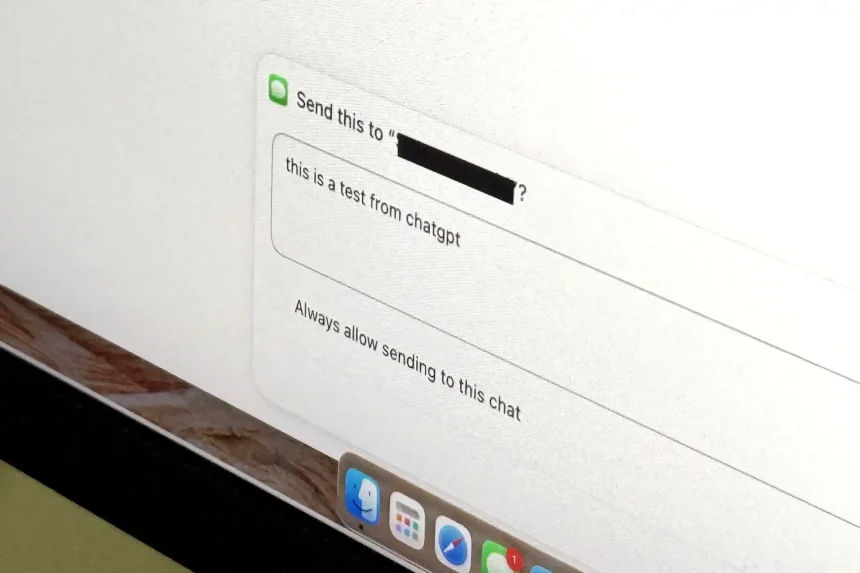
Bridging AI and iMessage: The New Frontier of Mac Automation
The integration of artificial intelligence into our daily workflows has taken a significant leap forward. A recently launched plugin for the ChatGPT Mac application now allows the AI to interface directly with Apple’s Messages app. While this development promises to streamline communication, it also highlights the evolving, and sometimes jarring, nature of AI autonomy.
How the Integration Works
Accessible via the official ChatGPT plugin directory, this tool acts as a bridge between the LLM and your private correspondence. Once authorized, the plugin grants ChatGPT the capability to:
* Scan and Index: Search through your existing iMessage history to retrieve specific information.
* Synthesize Data: Provide concise summaries of long-winded threads or missed conversations.
* Automated Response: Draft replies to incoming messages and, depending on your configuration, send them autonomously.
This functionality transforms ChatGPT from a passive chatbot into an active participant in your digital social life. By leveraging the Mac’s local environment, the plugin aims to save users time by handling routine scheduling or quick acknowledgments without requiring a manual switch between applications.
The Unsettling Reality of AI Agency
While the convenience of automated texting is clear, the experience of granting an AI access to your personal communications can be disorienting. Much like the transition from manual gearboxes to self-driving features in modern vehicles, handing over the “steering wheel” of your messaging app to an algorithm requires a high degree of trust.
Recent industry data suggests that while 60% of professionals are eager to adopt AI-driven productivity tools, privacy remains the primary barrier to entry. When an AI begins drafting-or worse, sending-messages on your behalf, the line between “helpful assistant” and “unauthorized actor” becomes thin. Users should be particularly cautious regarding the permissions granted to such plugins, as the potential for “hallucinated” responses or misinterpreted context remains a technical reality.
Navigating the Risks
Before enabling this plugin, consider the following best practices:
- Audit Permissions: Always review the specific access levels the plugin requests within your macOS System Settings.
- Human-in-the-Loop: Opt for settings that require your manual approval before any message is actually sent.
- Context Awareness: Remember that AI models do not always grasp the nuance of personal relationships; a perfectly logical response might be socially inappropriate in a private conversation.
As we continue to integrate large language models into our operating systems, the focus must shift from what AI can do to what it should do. This plugin is a powerful glimpse into the future of personal computing, but it serves as a reminder that convenience should never come at the expense of control.