





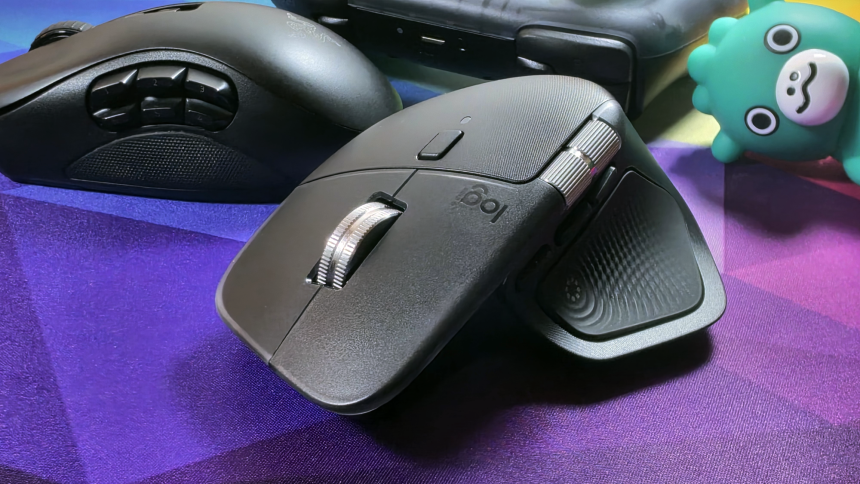
# Can the Logitech MX Master 4 Handle Your Gaming Sessions?
The Logitech MX Master series has long held the throne as the gold standard for productivity peripherals. Its ergonomic design and suite of customization features make it a staple for office professionals and creative power users. However, there has always been a lingering question: can this titan of industry also serve as your primary weapon for PC gaming?
In this edition of Boost Mode, we are putting the Logitech MX Master 4 to the test to see if it can truly bridge the gap between the boardroom and the battlefield.
## Beyond the Office: Is Productivity Hardware Gaming-Ready?
Technically, the answer is a resounding yes. You can plug in any mouse-from a basic office peripheral to a high-end productivity tool-and navigate a game menu or click through a strategy title. But the real inquiry isn’t about functionality; it’s about performance.
When we talk about gaming mice, we typically look for high polling rates (often 1000Hz or higher), ultra-lightweight chassis for rapid flick shots, and specialized optical sensors designed to track at high speeds without jitter. The MX Master 4, by contrast, is built for comfort, longevity, and workflow efficiency. Using it for a fast-paced competitive shooter is akin to driving a luxury SUV on a Formula 1 track; it’s a high-quality piece of machinery, but it isn’t optimized for that specific environment.
## The Trade-Off: Comfort vs. Precision
If you are a casual gamer who enjoys turn-based strategy games, city builders, or slower-paced RPGs, the MX Master 4 is more than capable. Its thumb-wheel and gesture controls can actually be mapped to provide unique shortcuts that aren’t available on standard gaming mice.
However, for those who frequent titles like *Valorant*, *Counter-Strike 2*, or *Apex Legends*, the weight of the MX Master 4 becomes a noticeable factor. While a dedicated gaming mouse might weigh in at under 60 grams, the MX Master 4 is significantly heavier to accommodate its premium build and battery life. This extra mass can lead to fatigue during intense, high-APM (actions per minute) sessions. Furthermore, the sensor, while incredibly accurate for productivity tasks, may not offer the same level of raw acceleration and lift-off distance customization that dedicated gaming sensors provide.
## The Verdict: One Mouse to Rule Them All?



For the minimalist who wants a clean desk setup, the dream of using a single mouse for both work and play is incredibly tempting. The Logitech MX Master 4 is a masterpiece of engineering, but it is a specialist tool. If your gaming habits are relaxed and focused on immersion rather than frame-perfect reaction times, you will likely find the experience perfectly acceptable.
If, however, you are chasing a high rank in competitive multiplayer, you might find that the “king of productivity” struggles to keep pace with the demands of the arena.