



Streamlining Your Transition: Samsung’s Enhanced Smart Switch Experience
Upgrading to a new device is often accompanied by the dread of data migration, but Samsung is actively removing those friction points. With the rollout of One UI 9, the company has overhauled its Smart Switch utility, transforming it into a more intuitive and comprehensive tool for users switching platforms.
A Simplified Connection Process
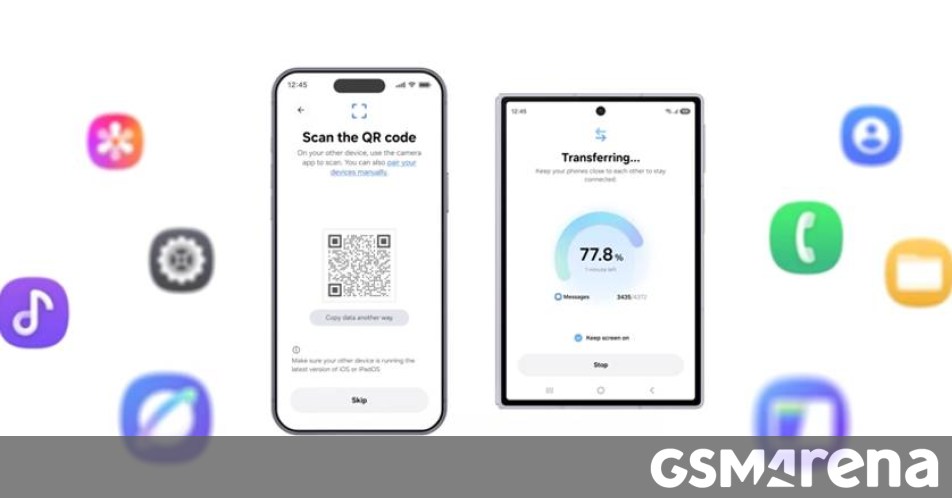
The most significant improvement lies in how the software handles the transition from iOS to a Samsung device, such as the Galaxy Z8 foldable. Previously, users were required to install the Smart Switch application on both devices to initiate a transfer.
The updated workflow eliminates this redundant step. Now, your Galaxy device generates a unique QR code during the setup phase. By simply scanning this code with your iPhone’s native camera app, the two devices establish a secure connection immediately. This streamlined approach mirrors the ease of setting up a new smart home device, removing the technical hurdles that often discourage users from switching ecosystems.
Expanded Data Migration Capabilities
Beyond the improved interface, Samsung has significantly widened the scope of what can be migrated. While standard data like contacts, media files, and calendar events have always been supported, the latest iteration of Smart Switch now handles more sensitive and complex information:
* Security Credentials: You can now seamlessly transfer saved passwords and passkeys, ensuring you aren’t locked out of your favorite services.
* Communication Logs: Call history is now fully supported, maintaining your records across devices.
* System Preferences: Accessibility settings are preserved, meaning your personalized interface configurations move with you.
* Connectivity: The tool now supports the migration of eSIM profiles, which is a major time-saver given the increasing shift away from physical SIM cards.
Flexibility for Every User
Whether you are a power user or someone who prefers a “set it and forget it” approach, the new Smart Switch is designed for versatility. While the initial device setup is the most common time to trigger a transfer, you are no longer locked into that window.
If you decide to migrate data later-perhaps because you were using an iPhone as a secondary device and have only now decided to consolidate your digital life-you can launch the Smart Switch app manually at any time. This flexibility ensures that your data remains portable whenever you are ready to make the move.
For a visual walkthrough of these new features, refer to the demonstration below, which covers both the initial setup migration and the post-setup transfer process.