




Enhancing Security: WhatsApp’s New Scam Detection Tool Enters Beta Testing
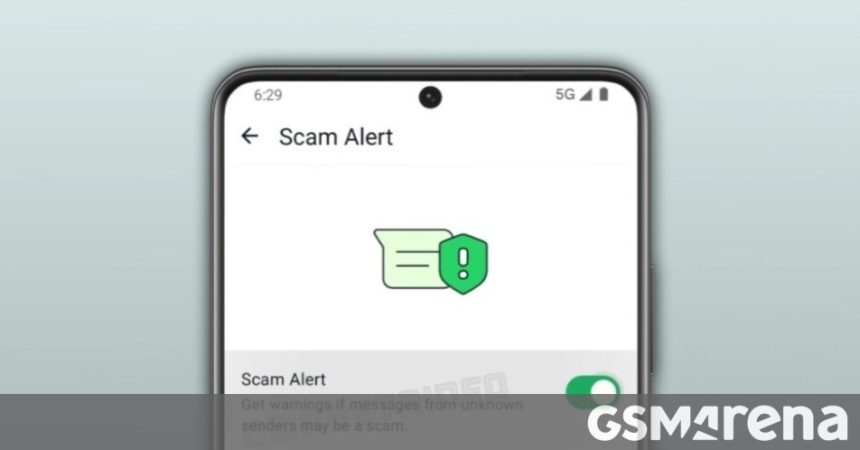
As digital fraud continues to evolve, Meta is taking proactive steps to bolster user safety on its flagship messaging platform. Following initial reports from June regarding a potential anti-fraud mechanism, WhatsApp has officially begun testing its “Scam Alert” feature. While a global launch date remains unconfirmed, the tool has officially moved into the hands of Android beta testers, signaling that a wider rollout is imminent.
Inside the Latest Beta Update
The discovery was documented by the eagle-eyed team at WABetaInfo, who identified the functionality within the Android beta build 2.26.34.1. This feature is designed to act as a digital shield, identifying suspicious patterns in messages sent by unknown contacts.
The core philosophy behind this update is privacy-first protection. The system analyzes incoming messages for red flags-such as phishing links or malicious intent-without compromising the end-to-end encryption that defines the platform. Crucially, the sender remains completely unaware that their message has been flagged or scrutinized by the recipient’s security settings.
How the Scam Alert System Functions
When the system detects a message that deviates from standard communication patterns, it triggers an alert for the user. Upon receiving this notification, the user is empowered with three distinct choices:
* Block and Report: Immediately sever ties with the sender and notify WhatsApp’s moderation team.
* Mark as Trusted: If the user recognizes the sender or deems the message safe, they can whitelist the contact.
* Contribute to Security: By marking a chat as trusted, users have the option to share the most recent five messages from that thread with Meta. This crowdsourced data helps refine the algorithm, making the detection system smarter and more accurate for the entire user base.
Enabling Your Protection
Because this feature is currently optional, it is not active by default. To utilize this layer of security, users must manually toggle it on. You can find this setting by navigating to Settings > Account within the WhatsApp Android application.
Why This Matters Now
With cybercrime on the rise, the need for such tools is critical. According to recent industry reports, phishing attempts via messaging apps have surged by over 40% in the last year alone. By integrating these automated safeguards, WhatsApp is shifting the burden of security away from the user, providing a much-needed safety net against sophisticated social engineering tactics.
As we wait for the stable release, this beta phase serves as a vital testing ground to ensure that the feature effectively balances user privacy with robust threat detection.