




When you purchase through links in our articles, we may earn a small commission. This doesn’t affect our editorial independence.
Harnessing Generative AI for Custom iPhone Automations
The recent rollout of iOS 27 has introduced a transformative shift in how we interact with our devices. While much of the industry buzz centers on the overhauled Siri interface, the most practical upgrade for power users lies in the integration of Apple Intelligence within the Shortcuts app. You can now bypass complex manual programming by using natural-language prompts to generate sophisticated workflows instantly.
From Manual Tasks to AI-Driven Efficiency
For years, the Shortcuts app has served as the Swiss Army knife of the iPhone ecosystem. Whether you are batch-processing photos, managing complex smart home scenes, or setting up intricate timers, it has been the go-to tool for automation enthusiasts. According to recent industry data, users who leverage automated workflows save an average of 30 minutes per day on repetitive digital tasks. With the latest update, the barrier to entry for creating these automations has effectively vanished.
Building Your Personalized Daily Briefing
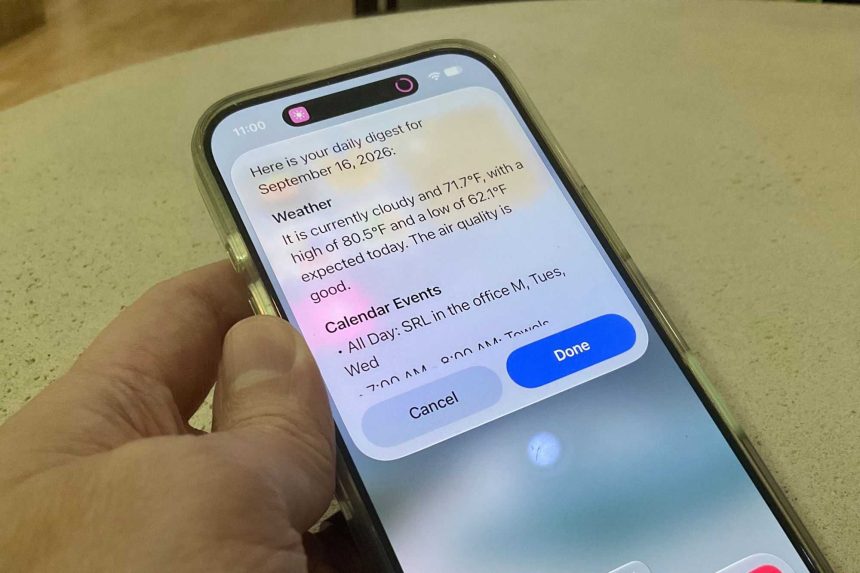
Instead of spending time dragging and dropping blocks in the Shortcuts editor, you can now simply describe your desired outcome to the AI. For instance, you can prompt the system to “Create a morning briefing that pulls my calendar events, checks the local weather, and summarizes my top unread emails.”
To achieve the best results, utilize the most advanced Apple Intelligence model available in your settings. These models are optimized to parse intent, meaning you don’t need to use technical jargon; conversational English is sufficient. By defining your parameters clearly-such as specifying which apps to pull data from-the AI constructs a functional, one-tap shortcut that would have previously taken an experienced user ten minutes to build from scratch.