




The Cost of a Failed BIOS Update: Who Foots the Bill?
When a manufacturer-issued software update renders your hardware non-functional, the expectation is usually a straightforward, cost-free repair. While modular hardware pioneers like Framework have set a precedent for taking full responsibility for their technical mishaps-as seen in their proactive approach to recent BIOS issues-the industry standard remains inconsistent. This ambiguity is currently causing significant frustration for owners of the Lenovo Legion Go.
The Legion Go BIOS Controversy
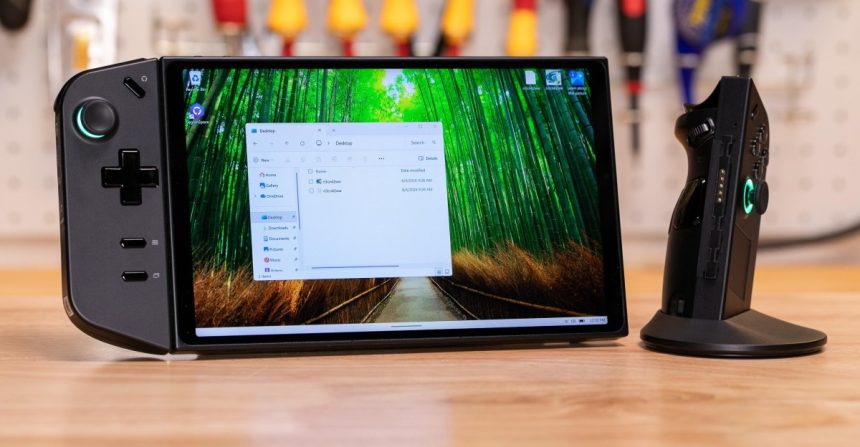
For the past few weeks, the Legion Go community has been in an uproar. Multiple users have reported that the N3CN42WW BIOS update effectively “bricked” their handheld gaming PCs, leaving them with nothing more than expensive paperweights. The situation escalated when reports surfaced of customers being quoted repair fees reaching nearly $300.
The influx of complaints-ranging from troubleshooting threads and failed update logs to black screen warnings and documented hardware damage-has finally forced Lenovo to address the growing backlash regarding these exorbitant repair costs.
Lenovo’s Official Response
After weeks of silence, Lenovo has issued a statement regarding the problematic V42 BIOS update. Communications director Jeff Witt clarified the company’s stance, noting that the update was not pushed via automatic channels like Windows Update or Legion Space.
According to Lenovo:
“Lenovo is aware that some Legion Go devices may experience a blank screen during installation of BIOS version V42. BIOS V42 was not distributed through Windows Update or Legion Space, and Lenovo has removed the update from its support website while we continue our validation work. Users who have successfully completed the V42 update should not need to take further action at this time.”
Navigating the Aftermath
For those currently staring at a blank screen, the company’s guidance remains basic: attempt a hard reset by holding the power button for an extended duration. If the device fails to boot, users are directed to reach out to official customer support channels.
In the broader context of consumer electronics, this incident highlights a recurring tension between rapid software deployment and hardware stability. While companies like Framework have demonstrated that transparency and free repairs are possible when a company-issued update causes a failure, the path for Legion Go owners remains less certain. As the industry moves toward more frequent firmware updates, the question of liability for “bricked” devices is becoming a critical concern for consumers who expect their hardware to remain functional throughout its intended lifecycle.