





When you purchase through links in our articles, we may earn a small commission. This doesn’t affect our editorial independence.
Elevating Windows Productivity: The Latest PowerToys Evolution
Microsoft continues to refine the Windows user experience, recently rolling out a significant update to its PowerToys suite. This latest release focuses on streamlining navigation and enhancing utility, marking the second major adjustment to window management shortcuts in just a fortnight. By prioritizing power users, Microsoft is effectively turning the operating system into a more agile workspace.
Introducing “Window Hopper”: Precision Navigation
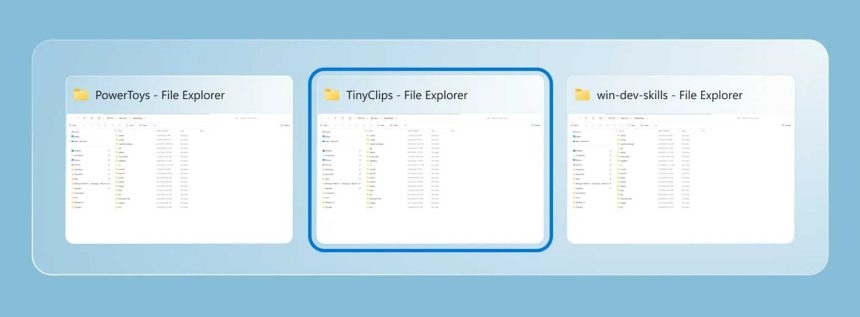
The standout addition in this update is the “Window Hopper” feature. While the classic ALT+TAB command is a staple for switching between different applications, it can become cumbersome when you have five instances of the same browser or document editor open. Window Hopper solves this by providing a dedicated shortcut to cycle exclusively through windows belonging to the active application. Think of it as a surgical tool for multitasking; rather than scanning through every open program, you can instantly toggle between specific project files or browser tabs, significantly reducing the cognitive load during high-intensity workflows.
Beyond Navigation: Enhanced Utility Tools
The update extends well beyond simple window switching, introducing meaningful upgrades to existing PowerToys utilities:
- ZoomIt Enhancements: For those who frequently present or record their screens, ZoomIt now includes a webcam background blur feature. This adds a layer of professional polish to remote meetings without requiring third-party software. Additionally, the new “DemoMirror” mode allows for more intuitive screen sharing and demonstration capabilities.
- PowerDisplay Synchronization: Managing multi-monitor setups just got easier. The new PowerDisplay functionality allows users to link brightness controls across multiple screens, ensuring a consistent visual experience regardless of how many displays you have connected.
A New Path for Early Adopters
Microsoft is also formalizing how it gathers feedback. A newly established Insider channel now allows enthusiasts to preview upcoming features before they hit the general release. This move underscores the company’s ongoing commitment to community-driven development, ensuring that free productivity enhancements remain aligned with the actual needs of the user base.
As remote and hybrid work environments continue to demand higher efficiency, these granular improvements to the Windows interface prove that small, thoughtful tweaks can have a massive impact on daily output. Whether you are a developer, a creative, or a data analyst, these tools are designed to shave seconds off repetitive tasks, ultimately saving hours over the course of a work week.