


Samsung Rolls Out Stable One UI 9 (Android 17) for Galaxy S26 Series
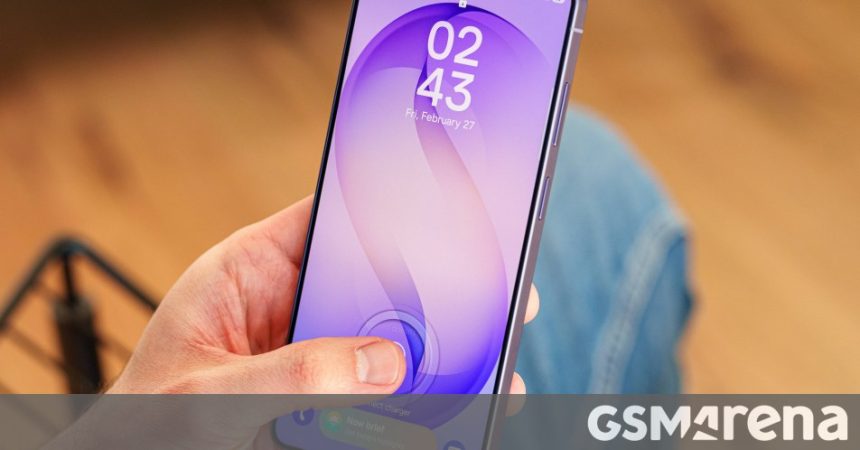
After an extensive months-long beta testing period, Samsung has officially transitioned to the stable release of One UI 9. Built upon the foundation of Android 17, this major software update is now arriving for the flagship Galaxy S26, S26+, and the premium S26 Ultra.
The rollout is currently expanding across global markets, with South Korean users being the first to receive the notification. The update package, which weighs in at approximately 650 MB, is being delivered as an over-the-air (OTA) download. According to early reports, this deployment marks a significant milestone in Samsung’s commitment to rapid software support, keeping pace with the latest Android iterations.
Enhanced AI Capabilities and User Experience
One UI 9 introduces a suite of intelligent features designed to streamline daily tasks. A standout addition is “My FanCam,” a feature that leverages advanced camera processing to enhance user-generated content. Beyond photography, Samsung has integrated generative AI into the “Now Brief” interface, allowing users to design and customize their own information cards with unprecedented ease.
Efficiency is a core theme of this release. The “Now Nudge” functionality has undergone a significant overhaul, with Samsung optimizing the workflow to reduce the number of taps required to complete common actions. This focus on reducing friction is a welcome change for power users who rely on quick interactions throughout the day.
Refined System Tools and Maintenance
The update extends its reach beyond just interface tweaks, bringing substantial improvements to core system applications:
* Creative Studio: Enhanced editing tools for more professional-grade content creation.
* Interpreter & Voice Recorder: Improved accuracy and faster processing speeds for real-time translation and audio capture.
* Document Scan: Refined edge detection and image clarity for digitized paperwork.
Furthermore, Samsung has introduced a dedicated Warranty and Care settings menu. First teased in August, this centralized hub provides users with a transparent view of their device’s health, warranty status, and support options, effectively replacing fragmented support pages with a single, accessible dashboard.
As the Galaxy S26 series continues to lead the market in performance, these software refinements ensure that the hardware remains supported by a modern, intuitive, and highly capable operating system.
Samsung Galaxy S26
These are the best offers from our affiliate partners. We may get a commission from qualifying sales.