




Nothing OS 5.0 Beta Expands to Phone (2a) and (2a) Plus
The rollout of Nothing OS 5.0, the latest iteration of the company’s software skin built upon Android 17, is gaining significant momentum. Following the initial announcement in late August and the subsequent beta launch for the Phone (3), the ecosystem is growing. While the Phone (3) has already transitioned to a stable release, Nothing is now extending its testing phase to include the Nothing Phone (2a) and the Phone (2a) Plus.
How to Access the Android 17 Beta
For users eager to test these new features, the process is straightforward but requires caution. You must first download the latest Nothing Beta Hub application directly from Nothing’s official portal. Once installed, navigate to Settings > System > Nothing Beta Hub. From there, select “Check version” followed by “Join Beta.”
Typically, the over-the-air (OTA) update will appear on your device within a few minutes. Because this is pre-release software, it is vital to perform a full backup of your personal data. Should you encounter bugs or performance issues, reverting to the stable build via the “Request Rollback” option will trigger a factory reset, erasing all local files.
What’s New in the Nothing OS 5.0 Experience
This update represents a substantial aesthetic and functional overhaul. With Android 17 as its foundation, Nothing OS 5.0 introduces several key enhancements:
* Refined Visual Language: Users will notice a modernized system font and a completely restructured Settings menu designed for better navigation.
* Customization Upgrades: The update includes a fresh default home screen theme and a variety of new lock screen clock faces.
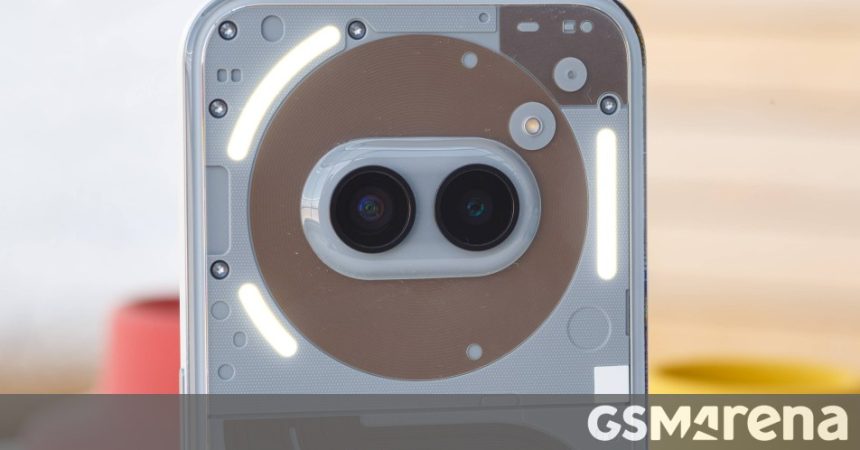
* Enhanced Glyph Integration: A dedicated Glyph app has been introduced to give users more granular control over the phone’s signature rear lighting.
* Interface Tweaks: The notification shade and Quick Settings panel are now separated for a cleaner look, and the status bar now supports live, real-time updates.
* Essential Space Improvements: The software now includes MCP (Multi-Channel Protocol) support, further integrating the Essential Space feature into the daily user experience.
As Nothing continues to refine its software, these updates reflect a broader industry trend toward more personalized, modular mobile interfaces. By inviting community feedback through these beta programs, the company aims to polish the final release before it reaches the wider user base.