


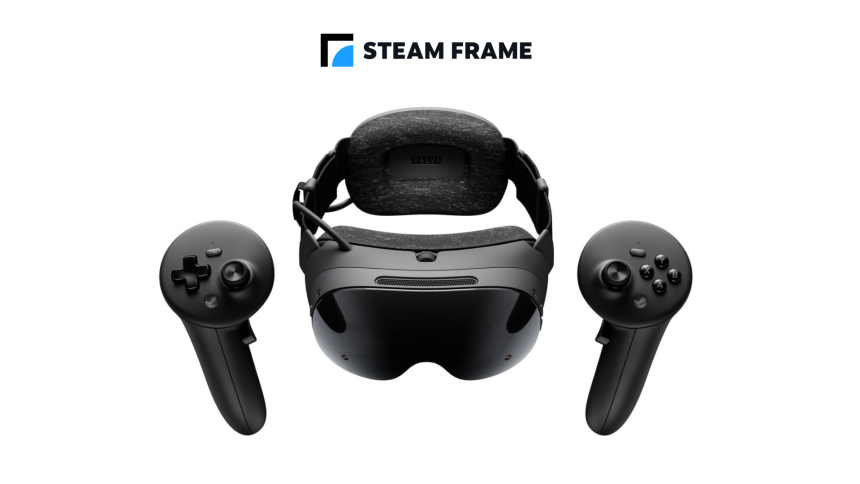
Experience Classic Unreal Titles in Immersive VR Without a PC
Image: Valve
The golden era of arena shooters and atmospheric sci-fi adventures has officially entered the virtual reality space. Thanks to the efforts of independent developer Game Or Die, fans can now dive into Unreal Gold and the legendary Unreal Tournament (1999) directly on standalone headsets like the Meta Quest 3 and Steam Frame. This development marks a significant milestone for retro gaming preservation, allowing players to experience these iconic titles in full 3D immersion without the tether of a high-end gaming rig.
Standalone Freedom and Cross-Platform Play
While these ports are designed to run independently on your headset, the initial configuration does require a brief connection to a computer to sideload the files. Once the setup process is complete, however, the “no PC while you play” promise holds true, granting users the freedom to roam untethered.
Beyond the single-player experience, the developer has implemented robust support for online multiplayer. This feature bridges the gap between platforms, enabling seamless cross-play between those running the game on a standalone headset and those utilizing the PC VR version. It is a nostalgic return to form, reminiscent of the early days of LAN parties, now modernized for the VR era.
Community-Driven Preservation
It is important to note that these conversions are passion projects created by the community rather than official releases from Epic Games. Because these are unofficial mods, they rely on the dedication of independent developers to maintain compatibility and performance. As of 2024, the VR gaming market continues to grow, with standalone headset adoption rates climbing; projects like these are vital for keeping classic gaming history alive for a new generation of hardware.
For those interested in revisiting the Na Pali valley or the high-octane arenas of Unreal Tournament, the developer has provided comprehensive documentation. You can find specific installation guides, hardware compatibility lists, and the necessary files for your headset via the official project repositories: